
Chronic care records
Review active problems, current medications, allergies and follow-up notes in one patient record between visits.
Today’s readings make more sense alongside previous visits. Nasaq Care brings together visit measurements, investigations, medications and referrals in a patient file clinicians can review at follow-up.
Review blood pressure, glucose and weight over time, document the clinician’s follow-up plan, and request an investigation or referral from the same workspace.
At a follow-up, the clinician compares blood pressure, glucose and weight with earlier visits and reviews recorded tests. If a referral is needed, they open the referral form from the doctor workspace and track its status.
Screenshots from Nasaq Care using sample data. Select any image to enlarge it.
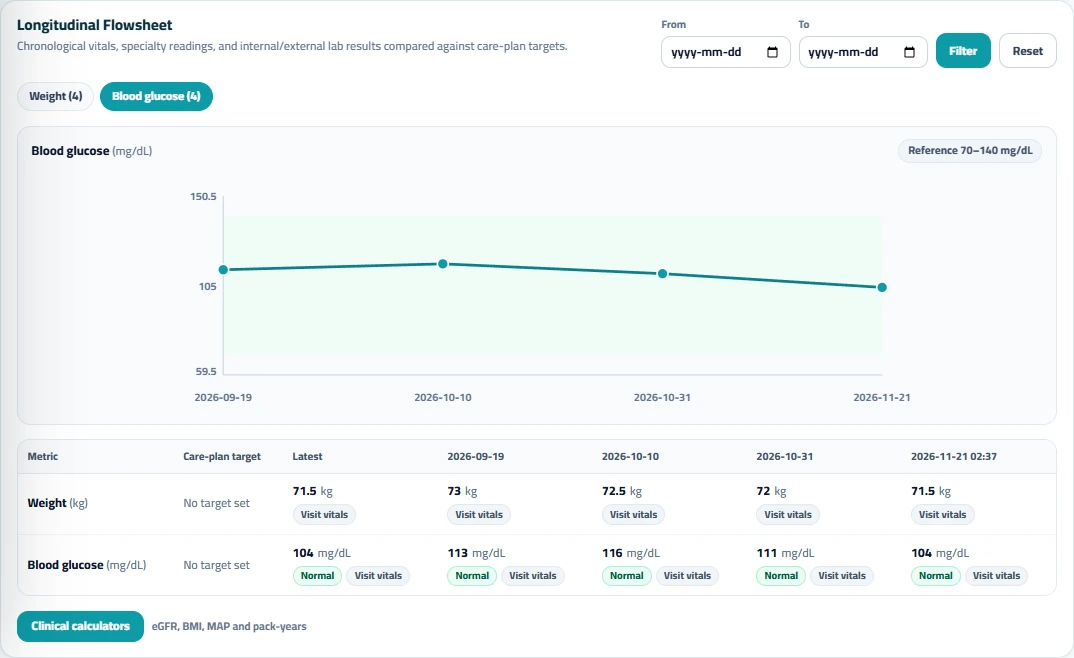
Record blood pressure, blood glucose, and weight for follow-up across visits.
Document the patient history and exam in fields built for internal medicine.
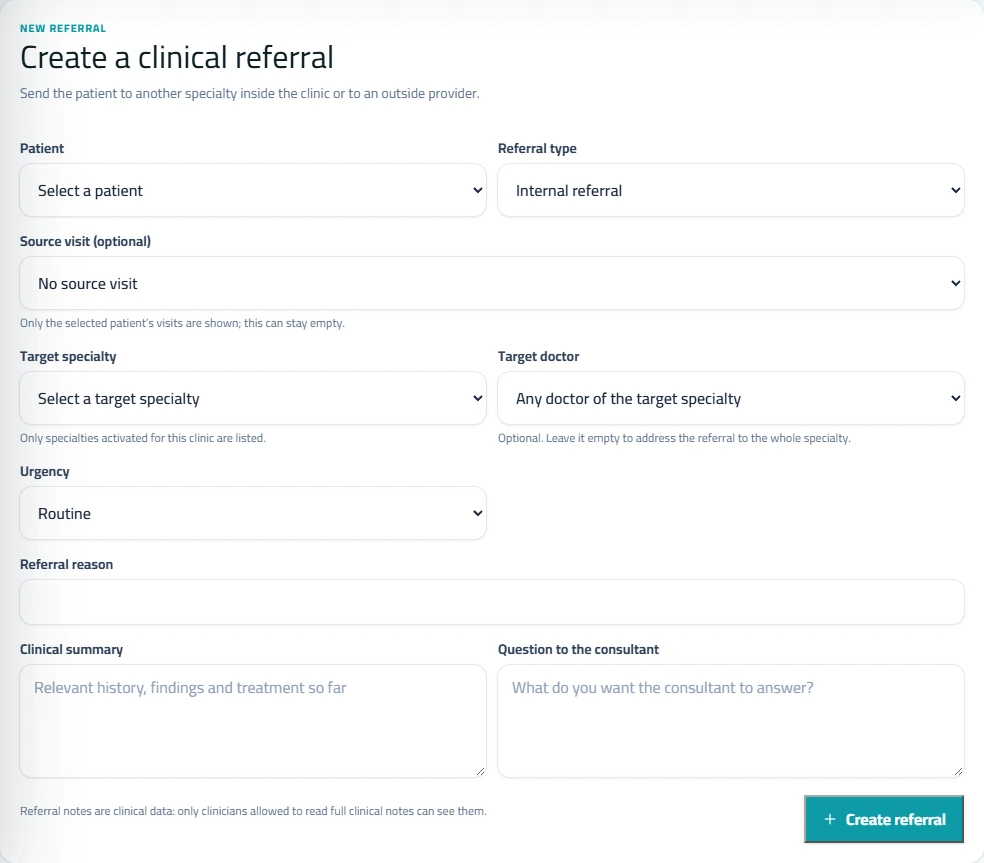
Track incoming and outgoing referrals and create a referral from the doctor workspace.
Review active problems, current medications, allergies and follow-up notes in one patient record between visits.
Review dated measurements such as blood pressure, weight and glucose in the patient flowsheet and compare them across visits.
Order investigations, review results available in the patient record, and document the clinician’s plan and follow-up date.
Review inputs and results for enabled calculators from the doctor workspace and save results to the visit when needed.
Create a referral with its reason and receiving clinician or specialty. Follow the response and status from the referrals board.
Print a visit summary or referral letter from the doctor workspace with the relevant permissions.
Tools are available according to the clinic specialty, the modules enabled on its plan, and each user’s permissions.
Record medical history and active problems at the first visit. At follow-up, review earlier measurements and test results, then document the clinician’s plan and next review date.
Reception handles booking, arrivals and the queue. The doctor reviews the file and sets follow-up. Access to records and clinical documents follows the team’s permissions.
Yes. The patient flowsheet shows recorded measurements such as blood pressure, glucose and weight by date. What you can see depends on the recorded data and your permissions.
Yes. The referrals board shows outgoing and incoming requests and their status when the feature is enabled for the team.
Enabled calculators help clinicians review and document inputs and results. The clinician interprets them in context and makes the decision.
Review the plans or contact Nasaq Care to discuss your doctors, branches and accounts before subscribing.